Choosing a gift for a gamer can mean upgrading the way they play, helping them share a stream, or making their gaming space more comfortable.
These eight ideas cover a range of setups and interests, from focused desk accessories to options for shared movie and game nights.
8 Gift Ideas for Gamers
SteelSeries Arctis Nova 7P Wireless Gaming Headset

- Connects wirelessly to PC, PlayStation, Switch, or tablet with a USB-C dongle.
- Can mix calls or music with game audio at home.
- The retractable microphone tucks away for commuting.
Best Gift For: A gamer who wants wireless audio across a PlayStation, PC, Switch, or tablet setup.

SteelSeries Apex Pro TKL Gaming Keyboard

- Adjusts actuation across individual keys.
- Lets one key perform two actions at different press depths.
- Includes a detachable USB-C connection.
Best Gift For: A PC gamer who likes adjusting key response and personalizing a desk setup.
SteelSeries Rival 5 Gaming Mouse

- Has a programmable layout with quick action side buttons.
- Uses a TrueMove Air optical gaming sensor.
- Designed for several fast-paced game styles.
Best Gift For: A gamer who plays FPS, MOBA, MMO, or battle royale games and wants programmable controls.
FIFINE AmpliGame AM8W XLR/USB Gaming Microphone

- Offers USB and XLR connectivity for compatible audio gear.
- Has a tap-to-mute control and gain knob.
- RGB lighting can be turned on, turned off, or changed with the button over USB.
Best Gift For: A gamer who streams, records video, or podcasts and wants a desktop microphone.
Audioengine A2+ Wireless Computer Speakers

- Designed for nearfield listening on a desk.
- Supports wireless streaming from phones, tablets, and computers.
- Provides USB-C, RCA, and 3.5mm AUX inputs.
Best Gift For: A gamer who wants desktop speakers for gaming, music, video calls, podcasts, and movies.
TP-Link Archer AXE75 WiFi 6E Router

- Its 6 GHz band enables more responsive gaming and video chatting.
- Tri-band and OFDMA technology support simultaneous transmission to more devices.
- Can form a OneMesh network with a TP-Link OneMesh Extender.
Best Gift For: A gamer sharing a home network who wants a router with gaming and streaming features.
HUANUO FlowLift Dual Monitor Stand

- Supports compatible screens with VESA 75x75mm or 100x100mm mounting holes.
- Adjusts tilt, swivel, and rotation for a flexible viewing position.
- Built-in cable management guides cords along the arms.
Best Gift For: A gamer with two compatible monitors who wants more clear space on the desk.
TMY 1080P Mini Portable Projector with 80in Screen
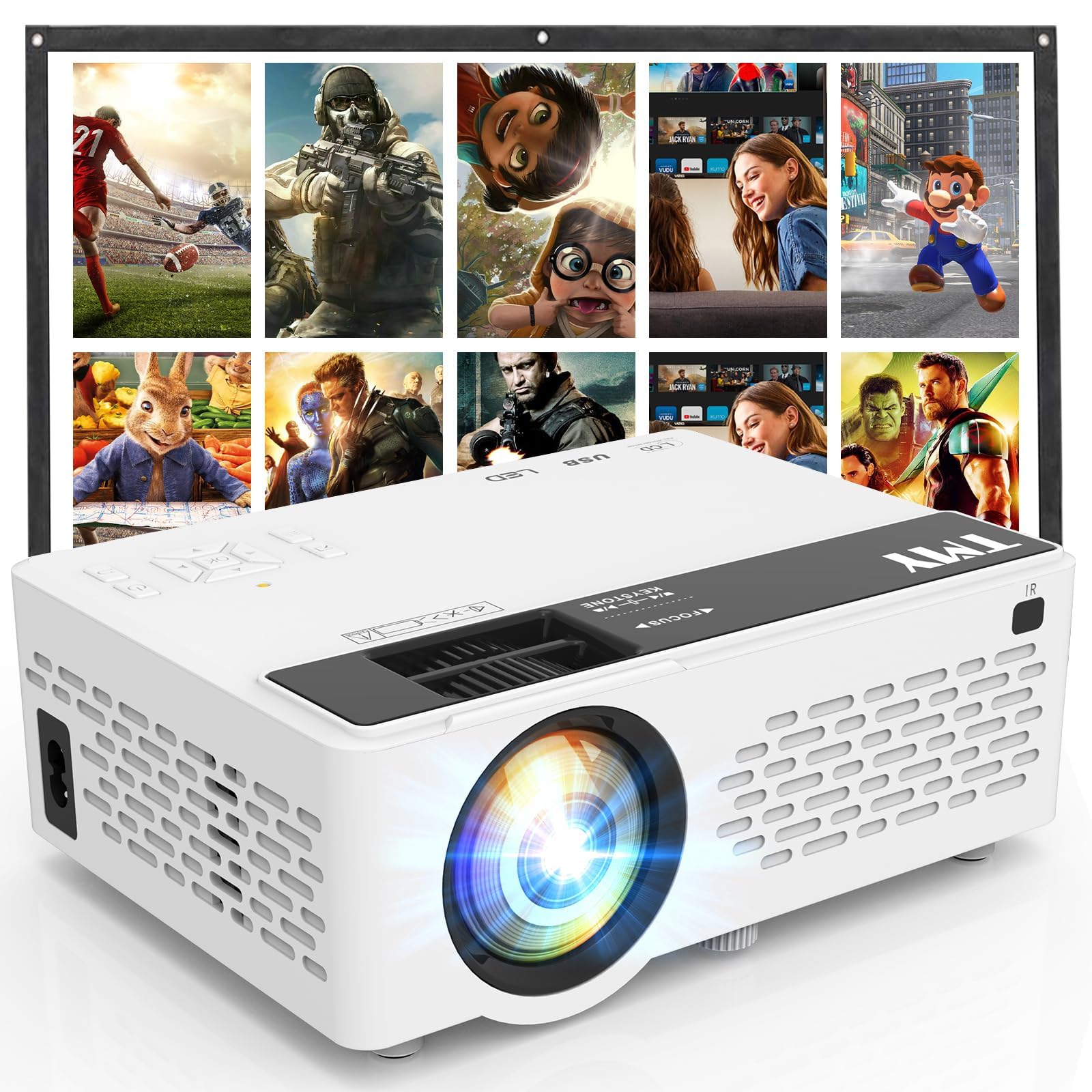
- Includes a foldable projection screen.
- Has built-in HDMI and USB ports for device connections.
- Can connect to an external Bluetooth speaker or soundbar.
Best Gift For: A gamer who enjoys playing or watching with friends on a larger projected image.
Choosing gifts for gamers by play style
The most useful gifts for gamers start with the person’s routine. A player who wears a headset for team sessions may value clear voice chat and flexible connections; someone who plays at a desk may get more use from controls they can customize.
Think about how they spend a typical evening before picking a category.
Consider what they already own and what part of the setup feels inconvenient. A streamer may be building a recording corner, while a console player might share a room and need a different audio arrangement.
If you are unsure, ask a friend or family member which platform and accessories the recipient actually uses.
Shared play habits matter too. A gamer who regularly hosts friends might appreciate a gift that brings everyone into the same room, while a solo player may prefer a personal desk upgrade.
Match the gift to the experience they enjoy rather than assuming every gamer wants the same gear.
Set a budget that fits the setup
Gaming accessories vary widely in cost, so decide what role the gift should play before shopping. A smaller desk accessory can feel thoughtful when it solves a daily annoyance; a larger setup item makes more sense when you know the recipient wants that specific kind of upgrade.
Check actual prices before deciding.
For a bigger purchase, confirm that the gift complements equipment they already have. Connectivity, operating system, console generation, desk space, and existing accessories can all affect whether a device will be useful.
When an important detail is unclear, a gift receipt or a conversation with someone who knows their setup can prevent an awkward mismatch.
A group gift can make a more substantial upgrade manageable, but keep the recipient’s preferences central. Share the cost with other gift-givers only after agreeing on the exact item and checking compatibility.
That way the present feels intentional, instead of turning into a pile of accessories that may not work together.
Personalize gifts for gamers thoughtfully
A personal touch can connect a practical present to the recipient’s favorite way to play. Pair the gift with a note that recalls a game night, a stream they worked hard on, or a team they enjoy.
For gifts for gamers, a few sincere words can make a piece of gear feel chosen for the person, not just the hobby.
Presentation can suit the setup: use a simple color theme, wrap a small accessory in a game-inspired card, or add a handwritten invitation to try it together. Avoid buying decorative extras that take up desk space unless you know the recipient wants them.
The main gift should remain easy to identify and use.
If the product depends on equipment they already own, include a short note about checking the connections together. That can turn an uncertain technical gift into a shared setup moment.
For an item intended for streaming or multiplayer, you might also offer to help arrange a casual first session, without assuming they want an audience.
Last-minute gifts for gamers: check the details
When time is short, first confirm the exact model and the recipient’s platform. Product names can look similar while supporting different connections or layouts.
Read the current product information carefully, and check compatibility with the console, computer, desk, monitor, or other gear involved before placing an order.
Next, review the seller’s current delivery estimate and return terms. Delivery timing can change by location and item, so leave room for a backup plan if the present needs to arrive by a particular date.
A digital gift card to a gaming shop the recipient already uses can be a fallback when gear compatibility is uncertain.
If the gift will not arrive in time, give a printed note or card explaining what you chose and why. You can keep the surprise intact without promising a specific arrival day.
For gifts for gamers, a clear heads-up also gives the recipient a chance to flag a platform mismatch before the item is opened.
Make the gift part of a good play space
A useful gaming space does not have to be elaborate. Think about whether the recipient plays at a shared table, in a bedroom, or at a dedicated desk, then consider what would make that area easier to use.
A quieter, clearer, or more organized setup may matter more to them than another decorative item.
Before buying furniture or anything that attaches to a desk or monitor, check the current dimensions and compatibility requirements against the recipient’s space. Ask permission from whoever shares the room if the present changes a common area.
For electronics, confirm that the necessary connections and other equipment are already available or easy to obtain.
Finally, consider how the gift fits into their social routine. A shared entertainment item can invite friends or family into a game night, while a personal accessory can support focused solo play.
A brief note explaining why you thought of that person makes either choice warmer and gives the gift a memorable finish.